For the owner
The monthly
picture.
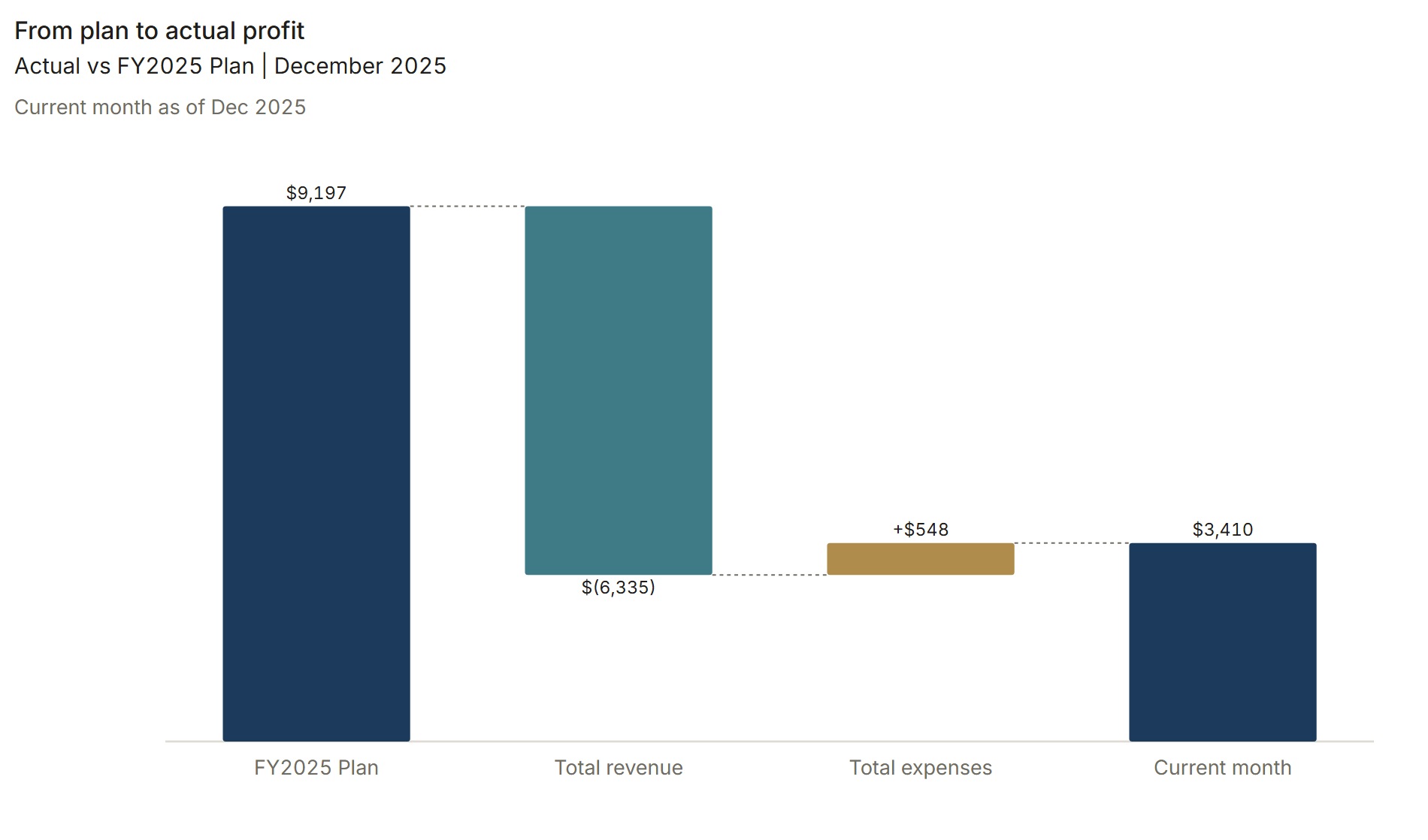
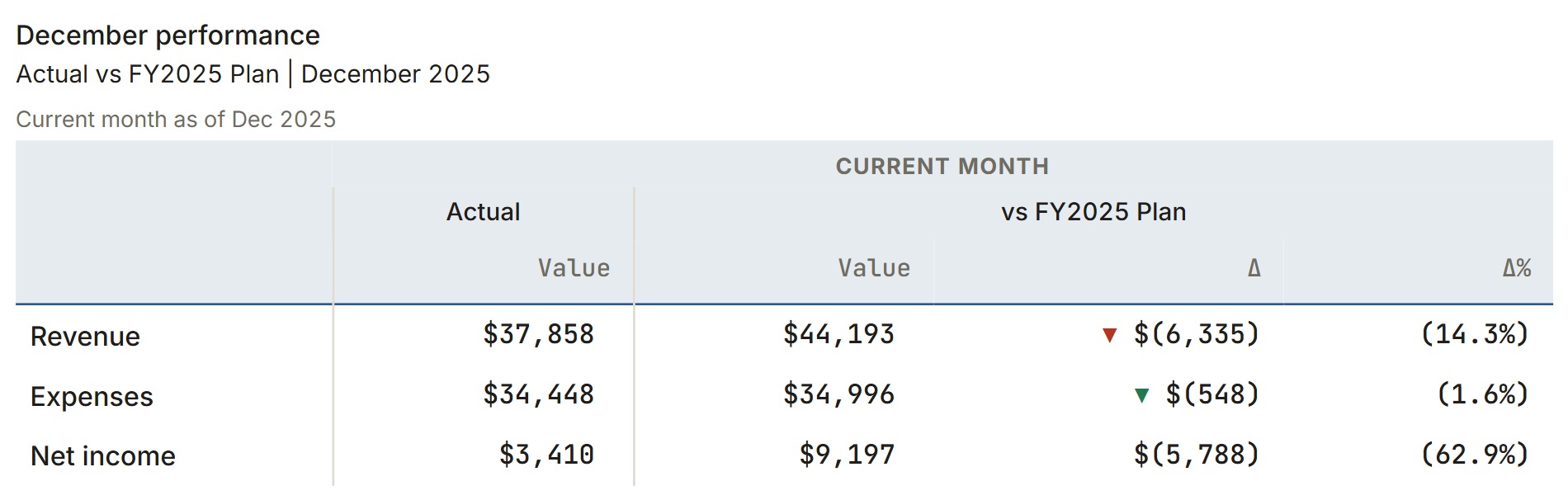
- Performance at a glance
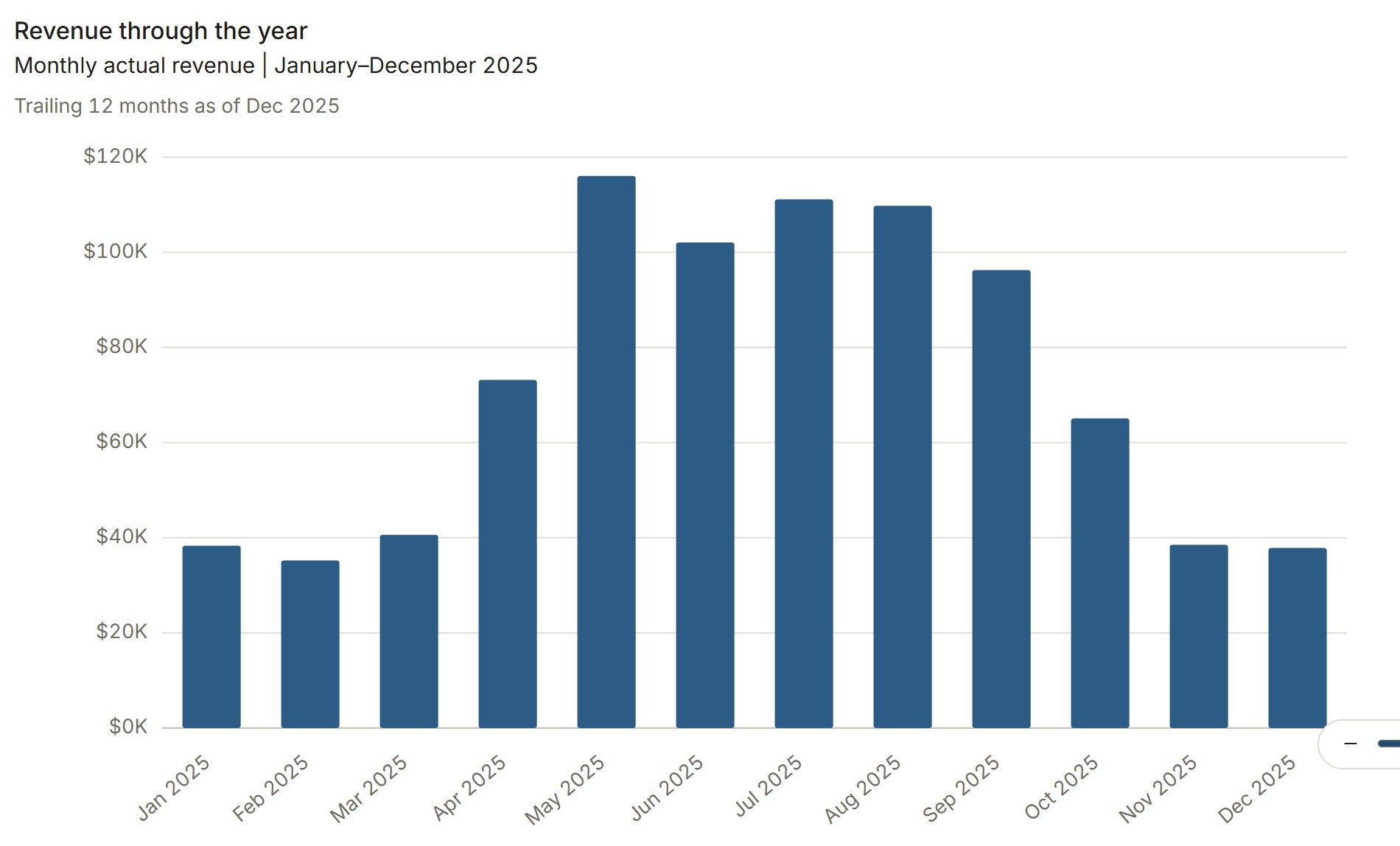
- Revenue through the year
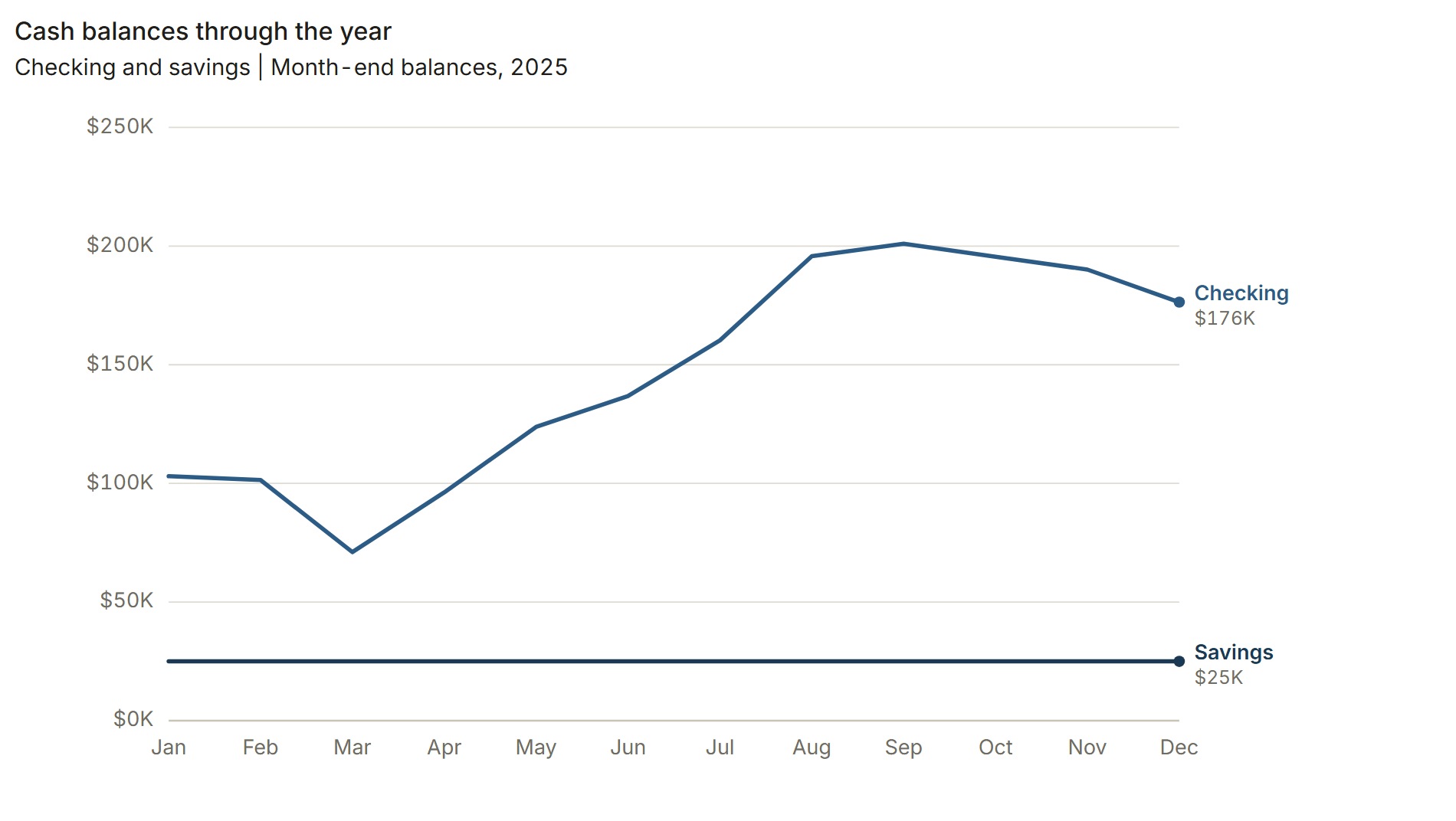
- Cash and financial position
Get to the result quickly, with enough context for the next decision.
From closed books to finished packs
Turn your accounting export into a finished monthly pack for clients, owners, and boards. Build the views once. Reuse them each month.
Keep your accounting system
Build once, reuse monthly
Deliver in PDF or Excel
The work, ready to share
Statements, charts, and commentary. Together in the format your reader needs, with the detail to back it up.
Your numbers. Your views. Your finished pack.
Explore the sample company and make the views your own.
Built around the conversation
A short read for the owner. More detail for the bank. Choose the views, comparisons, and commentary each reader needs.
For the owner
Get to the result quickly, with enough context for the next decision.
For the bank
Assemble the statements and supporting views your lender asks to see.
For the client
Make the pack reflect the business and the way you advise it.
For the board
Lead with the headline, then bring the financial evidence into focus.
A few ways to assemble your pack. You choose its contents and level of detail.
Same source numbers. Different views. Different readers.
More of the work, already done
Generate variance commentary from your financial views. Add your own context alongside it, so the pack carries both the result and your judgment.

Your context belongs here, too. Write your own text and include linked financial values.
View full sizeChoose your account groupings, periods, and comparisons. Keep that structure for the next month.
Show the trend, walk through a variance, or bring the financial detail into focus.
Arrange views and commentary around your reader. Choose what belongs on each page.
A rhythm you can repeat
Keep the accounting system you already use. Bring the closed numbers into ClosePack and shape the work you send.
Start with a CSV or Excel transaction export from your accounting system.
Group accounts, choose periods and comparisons, and build the statements and charts you need.
Tie the numbers back to your source and review what is going into the pack.
Arrange your views with commentary. Export a finished PDF or a working Excel model.
Next month, bring in the new data and reuse the views you have already built.
Substance behind the presentation
A clear financial story starts with numbers you understand. Keep the detail close, even when the pack is concise.
Choose how accounts are grouped and how results are compared. The view follows the definition you set.
Use the underlying detail and tie-out checks to review the numbers behind the presentation.
Send a concise PDF for the conversation or an Excel model for a closer look.
Before you get started
Yes. Cedar Lane is one example. Choose your own account groupings, views, comparisons, and page arrangement. Build different packs for different readers using the same source numbers.
No. ClosePack is a reporting layer for your closed books. Bring a CSV or Excel transaction export from the system you already use.
Export your pack as a PDF, or export a working Excel model when the recipient needs to work with the detail.
Yes. Open the sample company to explore with Cedar Lane’s financial data. You do not need to sign up to try the sample.
The work after the close
Invite only while every workspace still gets set up by hand with your own trial balance. You leave with a pack you can send.

Start with Cedar Lane. Open the sample companyNo signup required.